> ## Documentation Index
> Fetch the complete documentation index at: https://docs.ruoli.dev/llms.txt
> Use this file to discover all available pages before exploring further.
# Introduction
> Unified AI Model API Gateway
ruoli ([ruoli.dev](https://ruoli.dev)) is an AI model API gateway. One API Key, unified interface, access to Claude, GPT, Gemini, Deepseek and other mainstream large models.
## Console
After logging in, the console shows system notifications, usage logs, and quick access to common features:
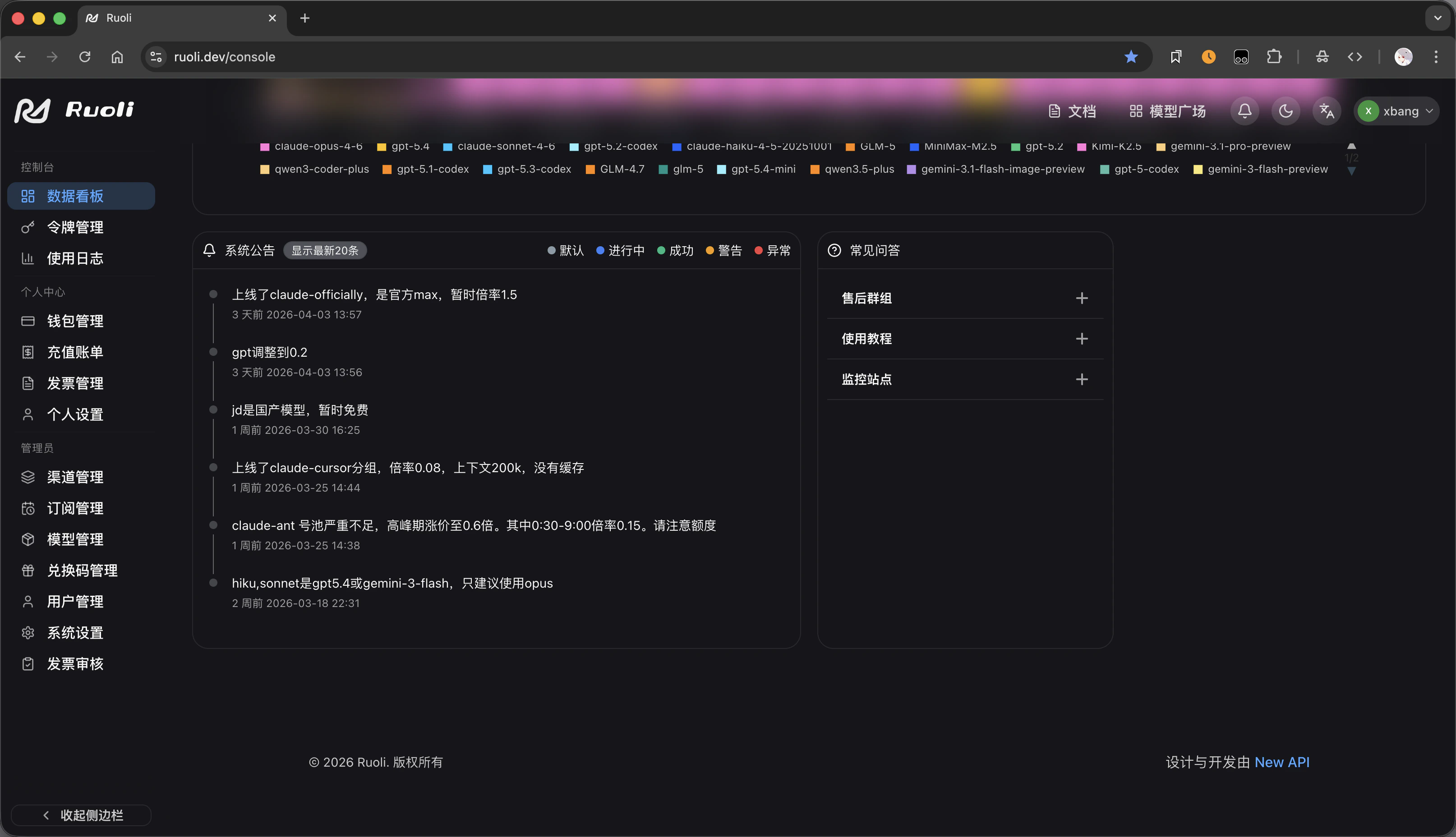 Quick access on the right side:
* **Support Group** — Contact after-sales support
* **Tutorial** — View this documentation
* **Status Monitor** — Check real-time channel status
## Models & Pricing
On the [pricing page](https://ruoli.dev/pricing), filter models by provider and view input/output prices per model, with available multipliers by group:
Quick access on the right side:
* **Support Group** — Contact after-sales support
* **Tutorial** — View this documentation
* **Status Monitor** — Check real-time channel status
## Models & Pricing
On the [pricing page](https://ruoli.dev/pricing), filter models by provider and view input/output prices per model, with available multipliers by group:
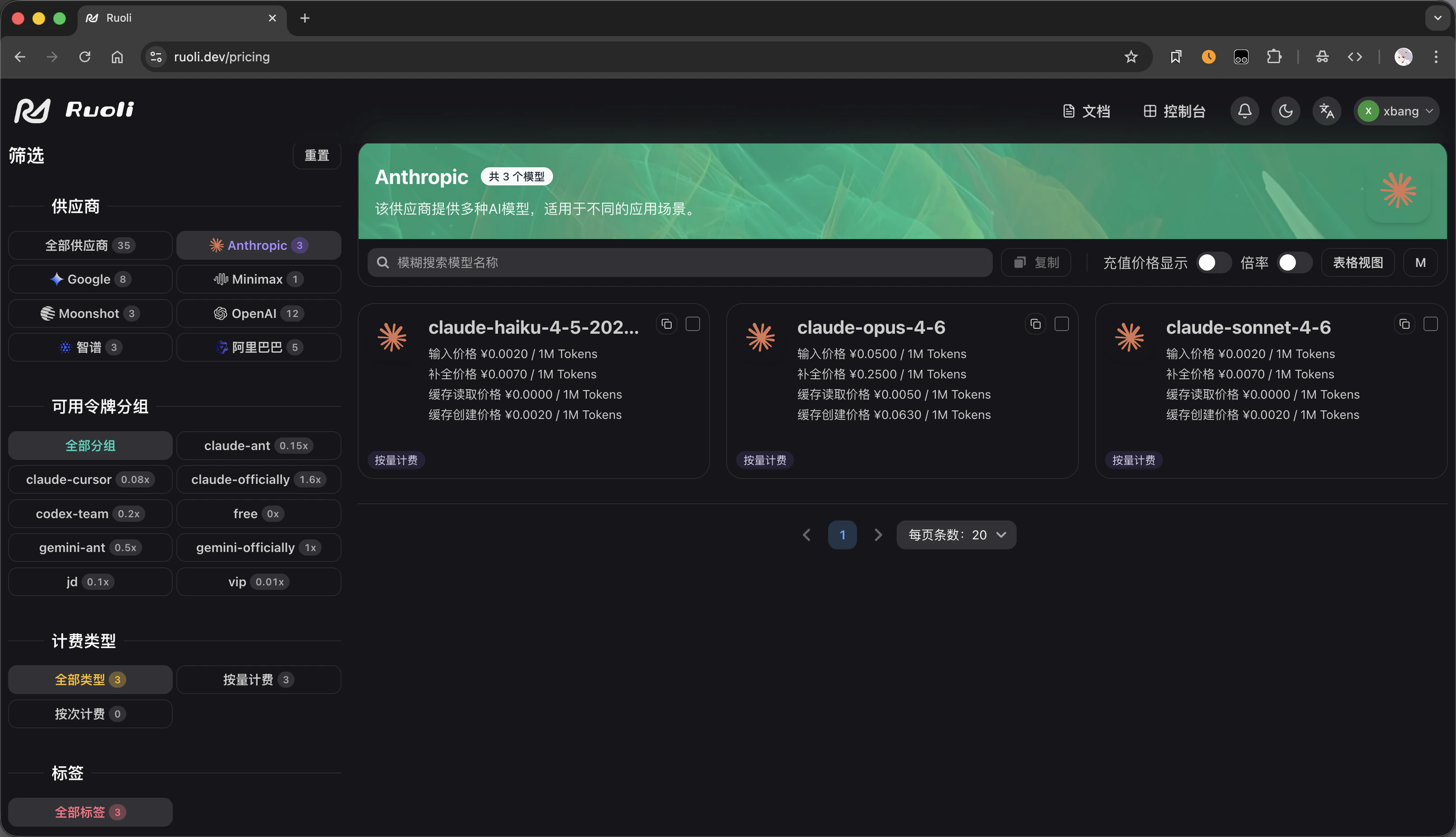 Filter by provider (Anthropic, Google, OpenAI, etc.) and group on the left. Model-specific pricing is shown on the right.
## Create Tokens
When creating an API Key on the tokens page, select a group to determine the pricing multiplier:
Filter by provider (Anthropic, Google, OpenAI, etc.) and group on the left. Model-specific pricing is shown on the right.
## Create Tokens
When creating an API Key on the tokens page, select a group to determine the pricing multiplier:
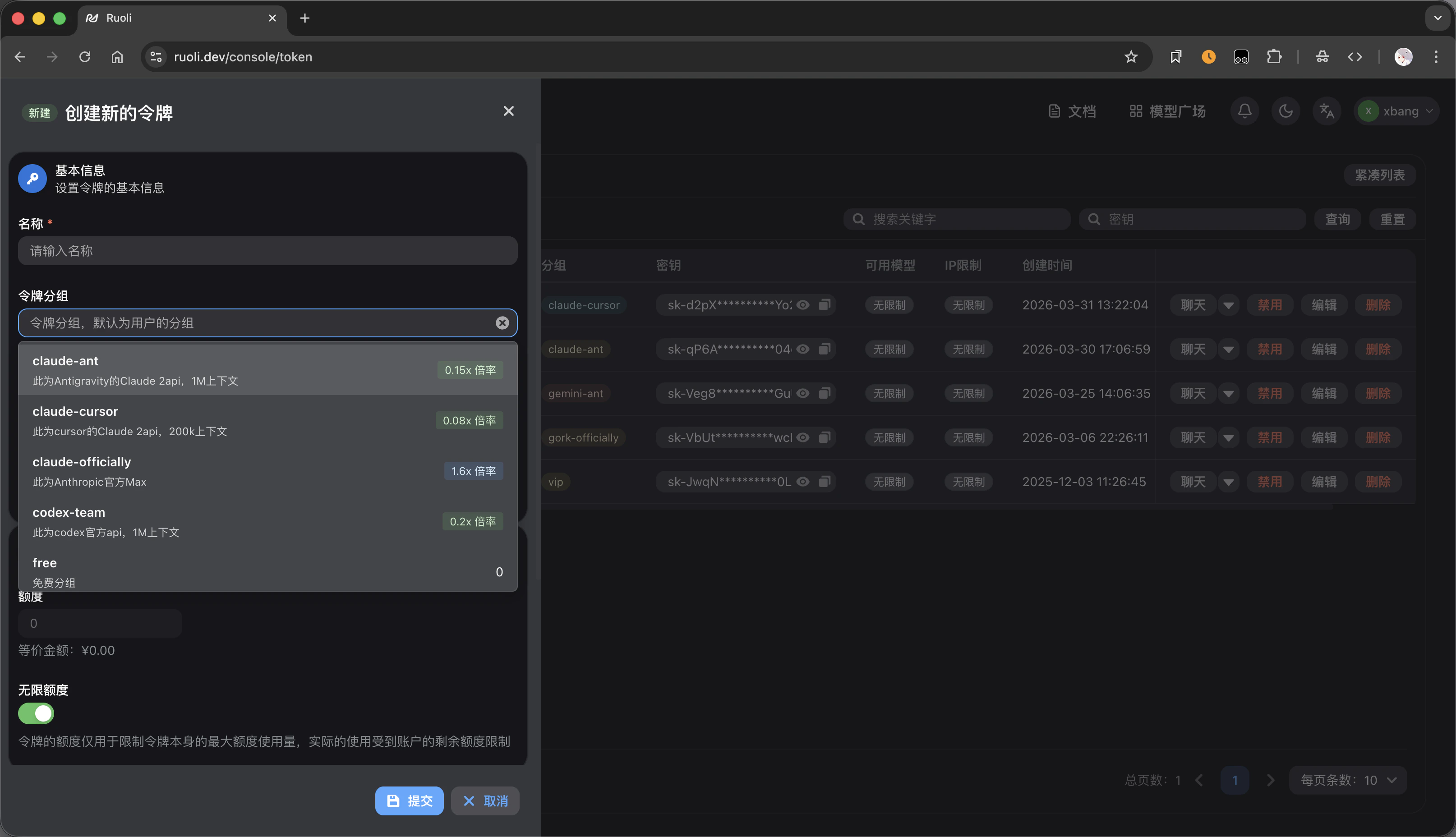 Each group shows its multiplier and description. For example, `gpt-pro` has a 0.3x multiplier while `cn` has 0.8x. Lower multiplier means cheaper.
See [Models & Groups](/en/platform/models-and-groups) for details.
## Service Monitoring
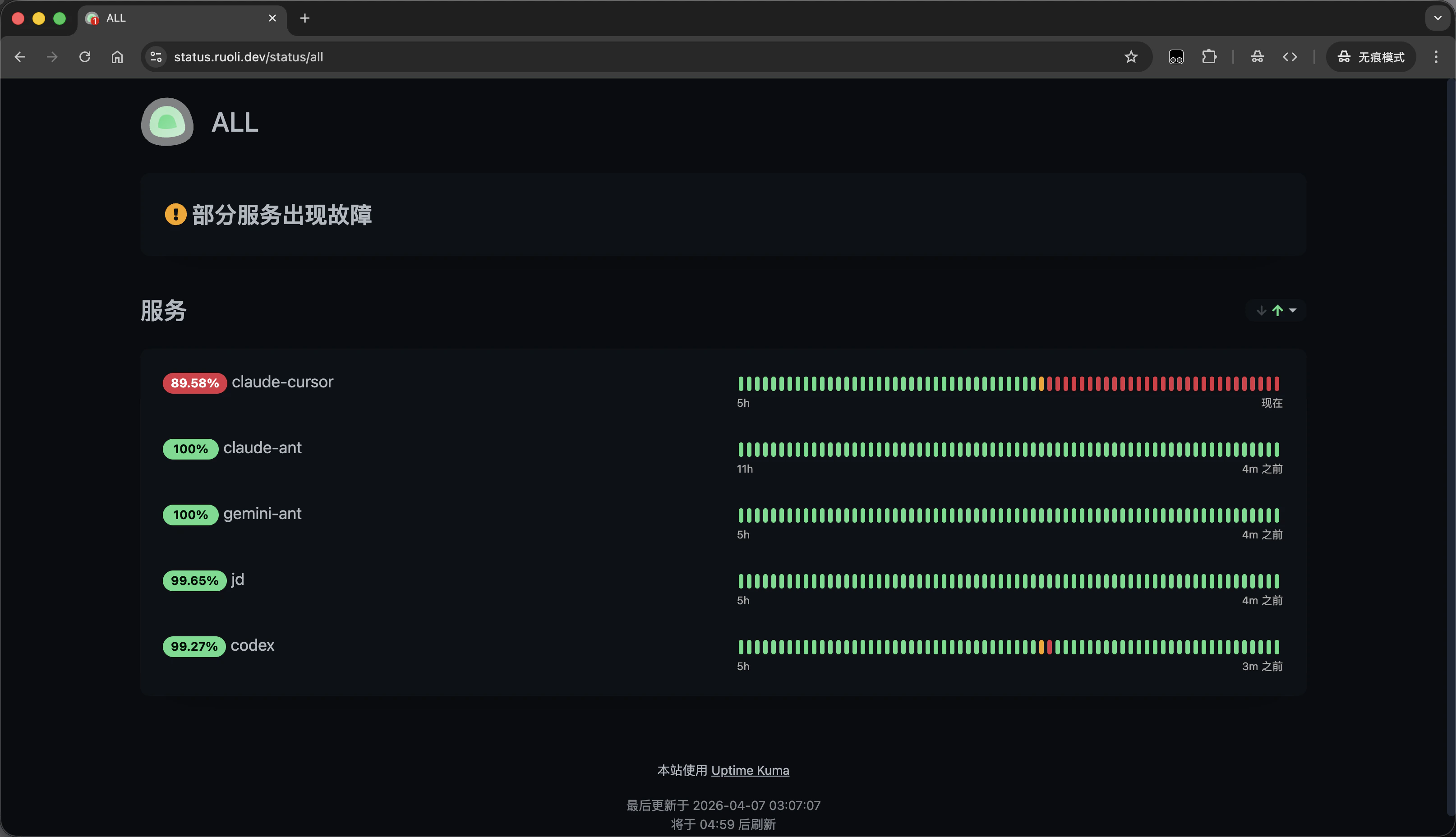
Check real-time channel availability and status via the [status monitoring page](https://status.ruoli.dev/status/all):
Each group shows its multiplier and description. For example, `gpt-pro` has a 0.3x multiplier while `cn` has 0.8x. Lower multiplier means cheaper.
See [Models & Groups](/en/platform/models-and-groups) for details.
## Service Monitoring
Check real-time channel availability and status via the [status monitoring page](https://status.ruoli.dev/status/all):
 ## API Info
| Item | Value |
| ----------------------------------- | ----------------------------------- |
| API URL (OpenAI-compatible) | `https://ruoli.dev/v1` |
| API URL (Anthropic / Gemini native) | `https://ruoli.dev` (without `/v1`) |
| Auth | `Authorization: Bearer sk-YOUR-KEY` |
Whether the URL includes `/v1` depends on the tool's protocol format — see [General Access](/en/tools/general-access).
## Next Steps
Sign up and get your API Key
Choose a group and understand pricing
Configure all AI tools with one click
Billing model and how to add funds
## API Info
| Item | Value |
| ----------------------------------- | ----------------------------------- |
| API URL (OpenAI-compatible) | `https://ruoli.dev/v1` |
| API URL (Anthropic / Gemini native) | `https://ruoli.dev` (without `/v1`) |
| Auth | `Authorization: Bearer sk-YOUR-KEY` |
Whether the URL includes `/v1` depends on the tool's protocol format — see [General Access](/en/tools/general-access).
## Next Steps
Sign up and get your API Key
Choose a group and understand pricing
Configure all AI tools with one click
Billing model and how to add funds