> ## Documentation Index
> Fetch the complete documentation index at: https://docs.ruoli.dev/llms.txt
> Use this file to discover all available pages before exploring further.
# Billing & Top-Up
> Learn about ruoli's billing model and how to add funds
## Billing Model
ruoli bills by actual token usage. The cost formula is:
```
Cost = Group Multiplier × Model Multiplier × (Input Tokens + Output Tokens × Output Multiplier)
```
* **Group Multiplier**: The multiplier of the group your token belongs to (see [Models & Groups](/en/platform/models-and-groups))
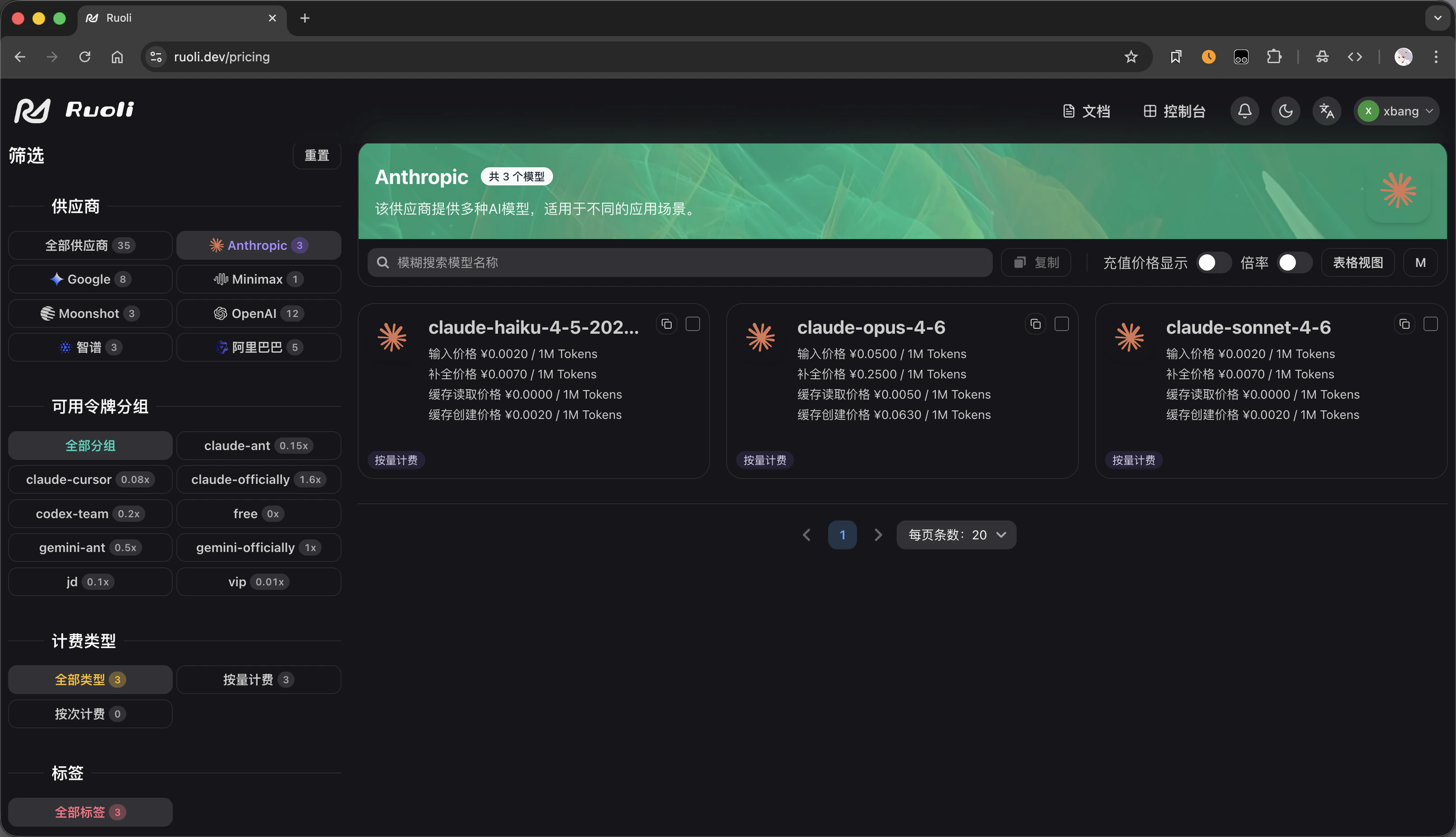
* **Model Multiplier**: Different models have different base pricing
View specific model pricing on the [pricing page](https://ruoli.dev/pricing):
 * **Output Multiplier**: Output tokens are typically more expensive than input tokens
## Top-Up
Add funds on the **Wallet** page in the console:
1. Log in to [ruoli.dev](https://ruoli.dev)
2. Go to the **Wallet** page
3. Enter the top-up amount
4. Select a payment method to complete the top-up
You can also top up using a **redemption code** — enter the code on the Wallet page to add funds.
## Viewing Usage
In the console you can view:
* **Dashboard**: Overall usage trends, model distribution, and request counts
* **Logs**: Detailed records for each API call (model, token count, cost)
* **Output Multiplier**: Output tokens are typically more expensive than input tokens
## Top-Up
Add funds on the **Wallet** page in the console:
1. Log in to [ruoli.dev](https://ruoli.dev)
2. Go to the **Wallet** page
3. Enter the top-up amount
4. Select a payment method to complete the top-up
You can also top up using a **redemption code** — enter the code on the Wallet page to add funds.
## Viewing Usage
In the console you can view:
* **Dashboard**: Overall usage trends, model distribution, and request counts
* **Logs**: Detailed records for each API call (model, token count, cost)