> ## Documentation Index
> Fetch the complete documentation index at: https://docs.ruoli.dev/llms.txt
> Use this file to discover all available pages before exploring further.
# 介绍
> 统一的 AI 模型 API 中转平台
ruoli([ruoli.dev](https://ruoli.dev))是一个 AI 模型 API 中转平台。一个 API Key,统一接口,访问 Claude、GPT、Gemini、Deepseek 等主流大模型。
## 控制台
登录后进入控制台,可以查看系统通知、使用日志,以及快捷访问常用功能:
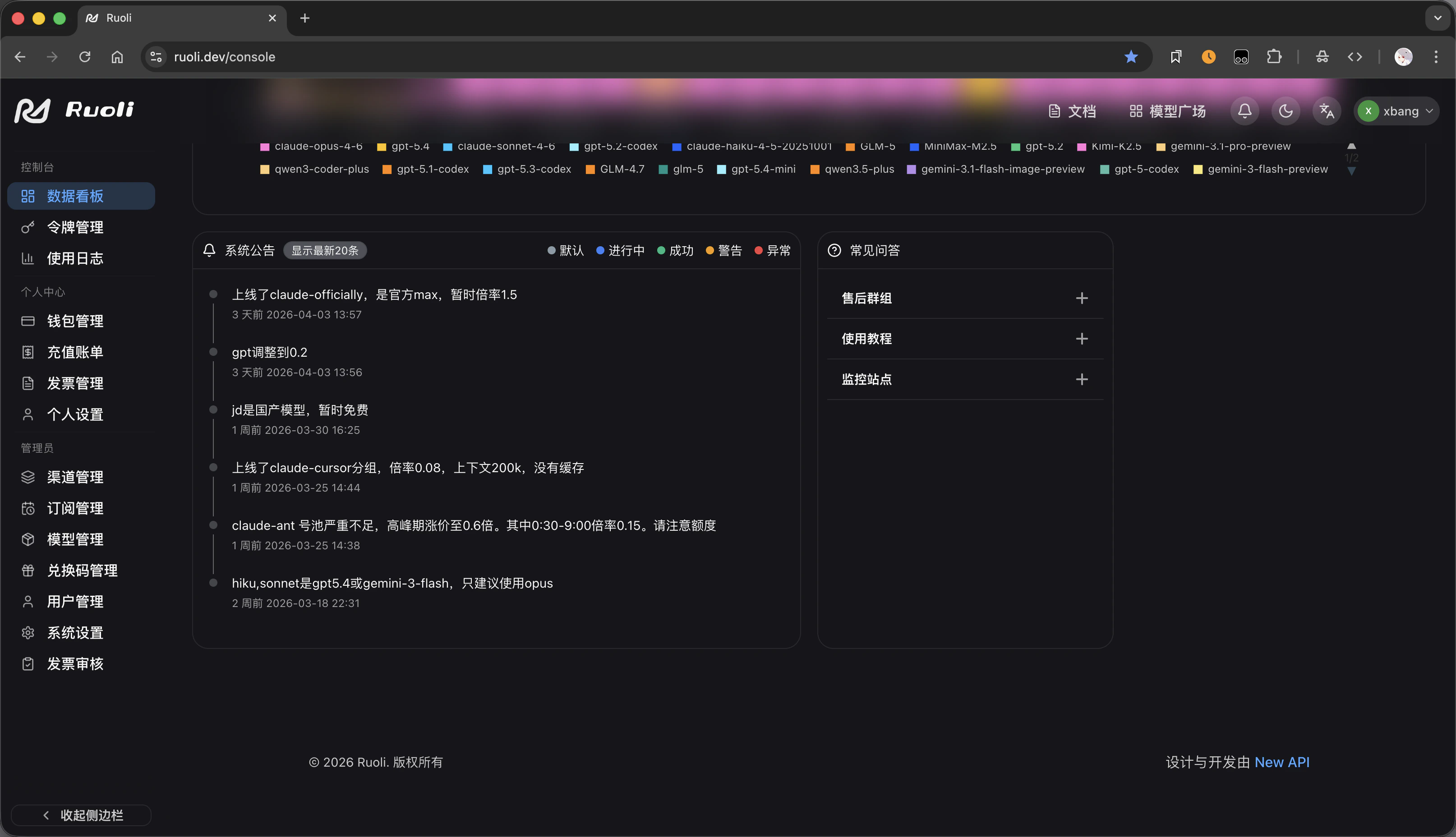 控制台右侧提供快捷入口:
* **售后群组** — 联系售后支持
* **使用教程** — 查看本文档
* **监控站点** — 实时查看各渠道状态
## 模型与定价
在 [定价页面](https://ruoli.dev/pricing) 可以按供应商筛选模型,查看每个模型的输入/输出价格,以及按分组查看可用倍率:
控制台右侧提供快捷入口:
* **售后群组** — 联系售后支持
* **使用教程** — 查看本文档
* **监控站点** — 实时查看各渠道状态
## 模型与定价
在 [定价页面](https://ruoli.dev/pricing) 可以按供应商筛选模型,查看每个模型的输入/输出价格,以及按分组查看可用倍率:
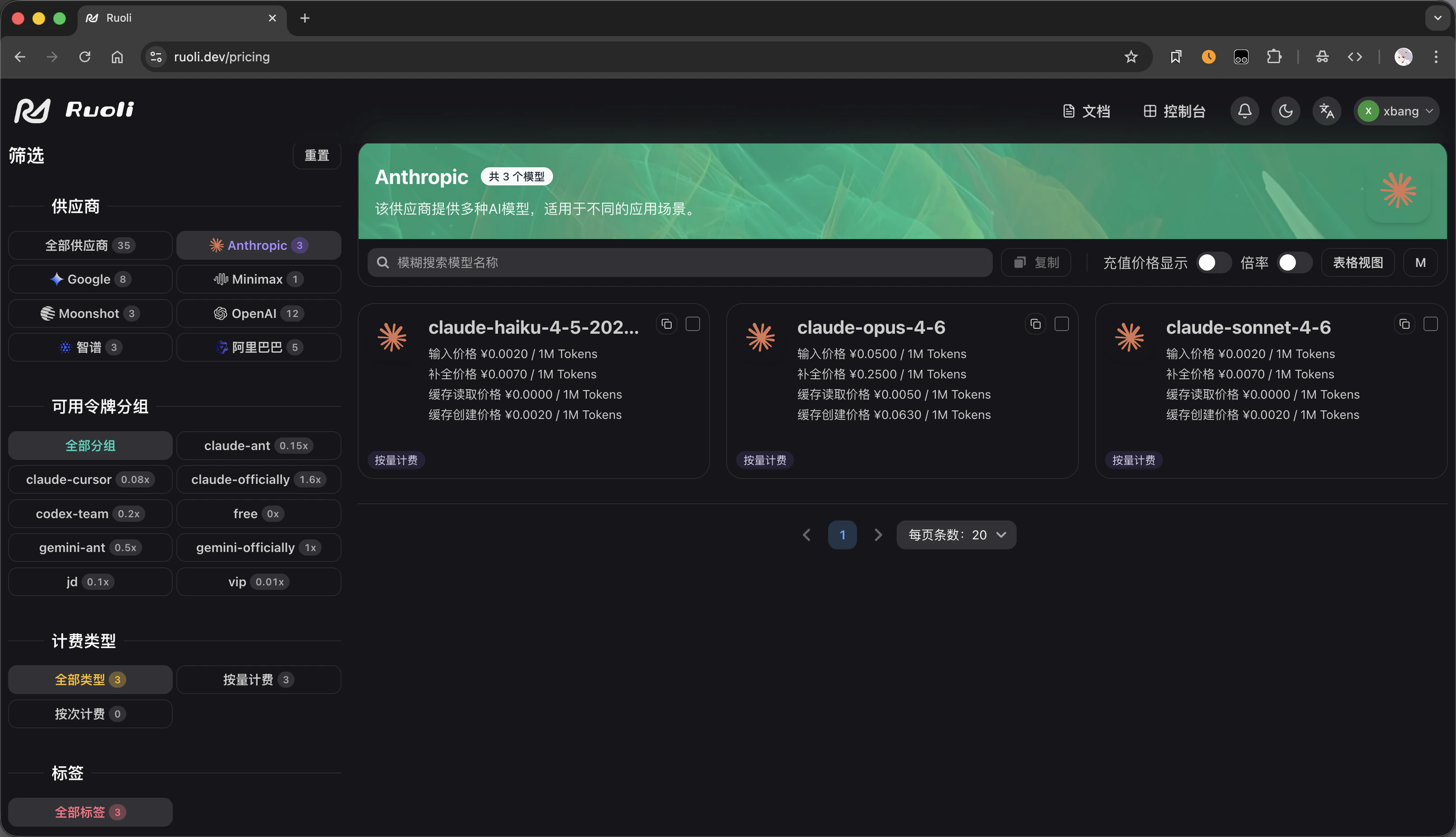 左侧可以按供应商(Anthropic、Google、OpenAI 等)和分组筛选,右侧展示每个模型的具体价格。
## 创建令牌
在令牌页面创建 API Key 时,选择分组决定价格倍率:
左侧可以按供应商(Anthropic、Google、OpenAI 等)和分组筛选,右侧展示每个模型的具体价格。
## 创建令牌
在令牌页面创建 API Key 时,选择分组决定价格倍率:
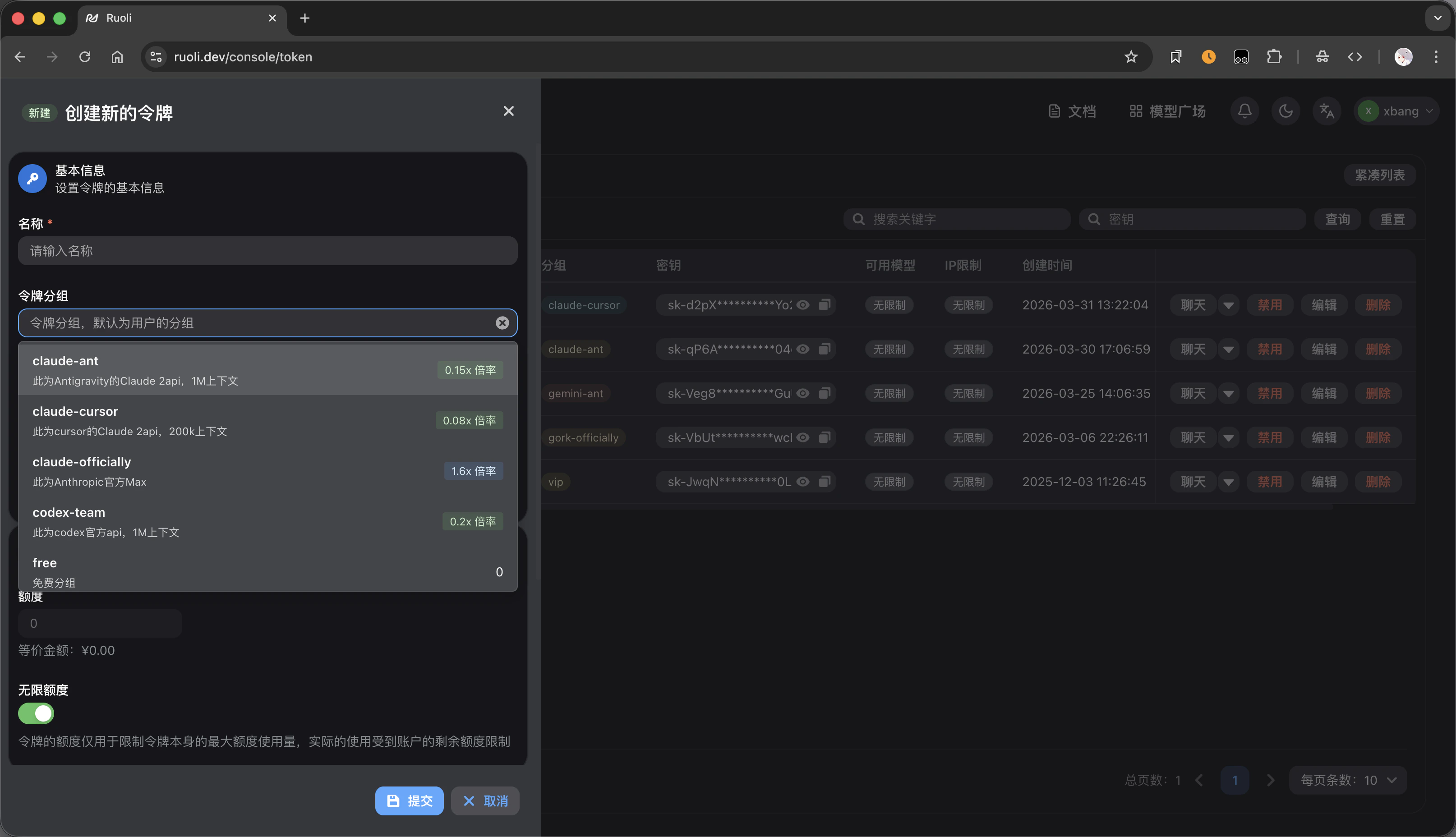 每个分组显示倍率和说明,例如 `gpt-pro` 为 0.3x 倍率,`cn` 为 0.8x 倍率。倍率越低越便宜。
详见 [模型与分组](/platform/models-and-groups)。
## 服务监控
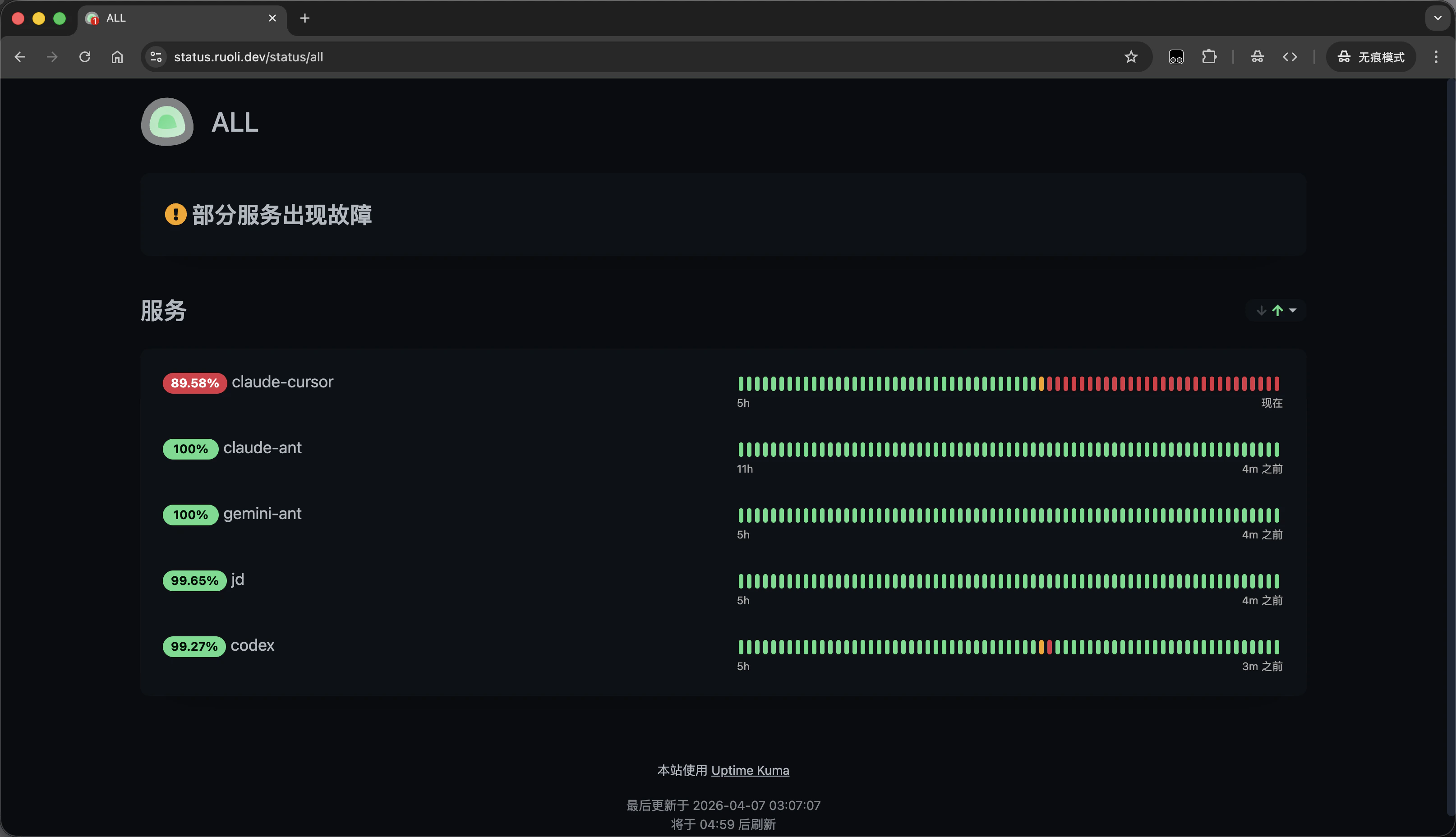
通过 [状态监控页面](https://status.ruoli.dev/status/all) 实时查看各渠道的运行状况和可用性:
每个分组显示倍率和说明,例如 `gpt-pro` 为 0.3x 倍率,`cn` 为 0.8x 倍率。倍率越低越便宜。
详见 [模型与分组](/platform/models-and-groups)。
## 服务监控
通过 [状态监控页面](https://status.ruoli.dev/status/all) 实时查看各渠道的运行状况和可用性:
 ## API 信息
| 项目 | 值 |
| ----------------------------- | -------------------------------- |
| API 地址(OpenAI 兼容) | `https://ruoli.dev/v1` |
| API 地址(Anthropic / Gemini 原生) | `https://ruoli.dev`(不带 `/v1`) |
| 认证方式 | `Authorization: Bearer sk-你的KEY` |
地址带不带 `/v1` 取决于工具用的协议格式,详见 [通用接入](/tools/general-access)。
## 下一步
注册账号,获取 API Key
选择分组,了解定价
一键配置所有 AI 工具
计费方式与充值
## API 信息
| 项目 | 值 |
| ----------------------------- | -------------------------------- |
| API 地址(OpenAI 兼容) | `https://ruoli.dev/v1` |
| API 地址(Anthropic / Gemini 原生) | `https://ruoli.dev`(不带 `/v1`) |
| 认证方式 | `Authorization: Bearer sk-你的KEY` |
地址带不带 `/v1` 取决于工具用的协议格式,详见 [通用接入](/tools/general-access)。
## 下一步
注册账号,获取 API Key
选择分组,了解定价
一键配置所有 AI 工具
计费方式与充值