> ## Documentation Index
> Fetch the complete documentation index at: https://docs.ruoli.dev/llms.txt
> Use this file to discover all available pages before exploring further.
# CC Switch
> 一键配置所有 AI 工具连接 ruoli
CC Switch 是一个**辅助配置工具**——它本身不是大模型,而是帮你把 ruoli 一键配置进 Claude Code、Codex 等命令行工具,并在多个供应商之间快速切换。不想手动改配置文件的话,用它最省事。
[CC Switch](https://ccswitch.lovable.app) 提供图形化界面,打开即用,无需安装。
## 打开 CC Switch
访问 [ccswitch.lovable.app](https://ccswitch.lovable.app) 即可使用。
顶部标签栏可以切换不同的工具:
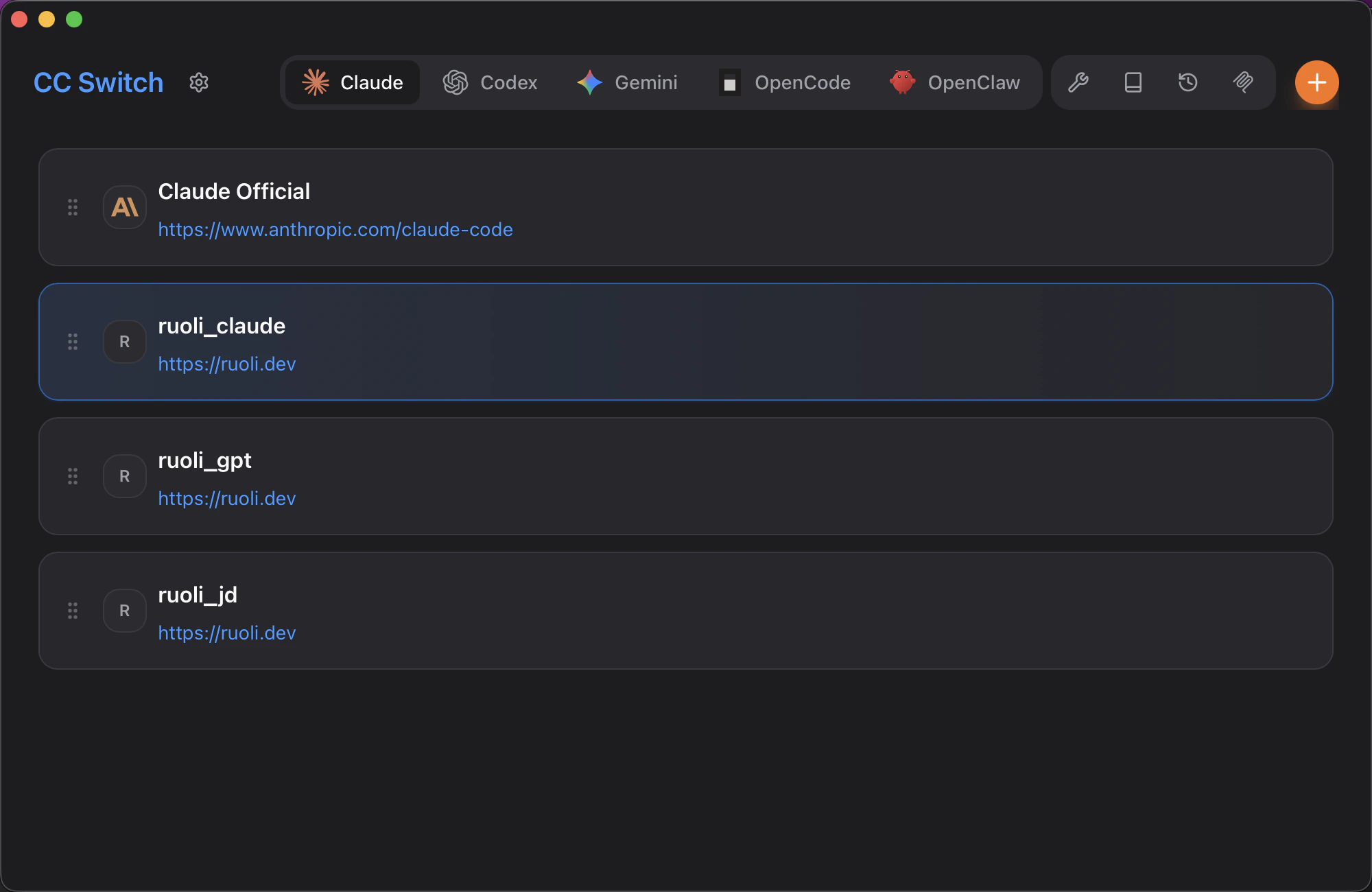 ## 添加 ruoli
1. 点击右上角 **+** 添加新配置
2. 填写供应商信息:
## 添加 ruoli
1. 点击右上角 **+** 添加新配置
2. 填写供应商信息:
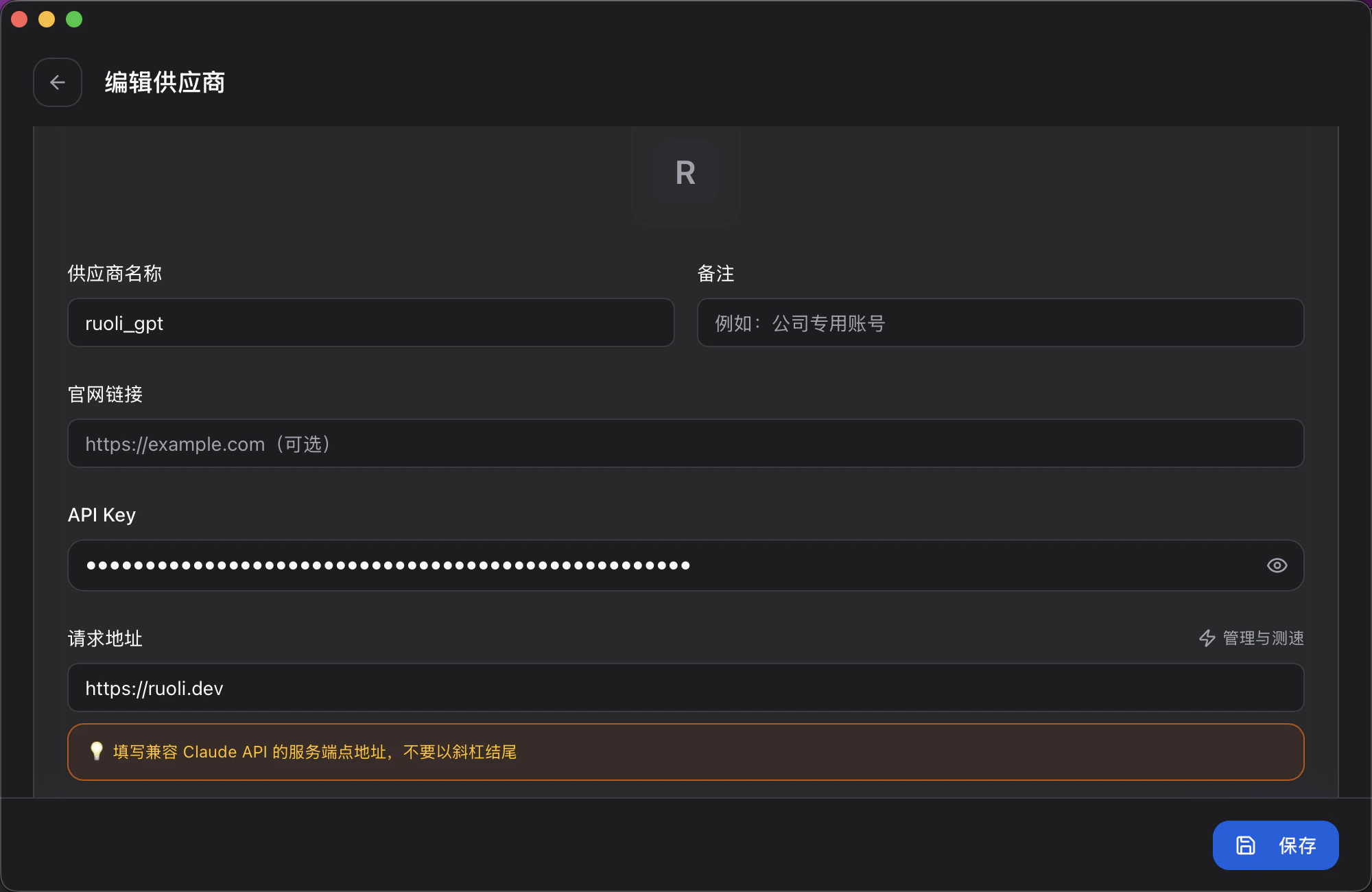 | 字段 | 填写内容 |
| ------- | --------------------------------------------------- |
| 供应商名称 | 自定义,如 `ruoli_claude` |
| API Key | 你的 Key(在 [ruoli.dev](https://ruoli.dev) 控制台的令牌页面获取) |
| 请求地址 | `https://ruoli.dev` |
3. 点击 **保存**
## 配置模型映射
向下滚动可以配置模型映射,将 Claude Code 的模型别名映射到你想用的模型:
| 字段 | 填写内容 |
| ------- | --------------------------------------------------- |
| 供应商名称 | 自定义,如 `ruoli_claude` |
| API Key | 你的 Key(在 [ruoli.dev](https://ruoli.dev) 控制台的令牌页面获取) |
| 请求地址 | `https://ruoli.dev` |
3. 点击 **保存**
## 配置模型映射
向下滚动可以配置模型映射,将 Claude Code 的模型别名映射到你想用的模型:
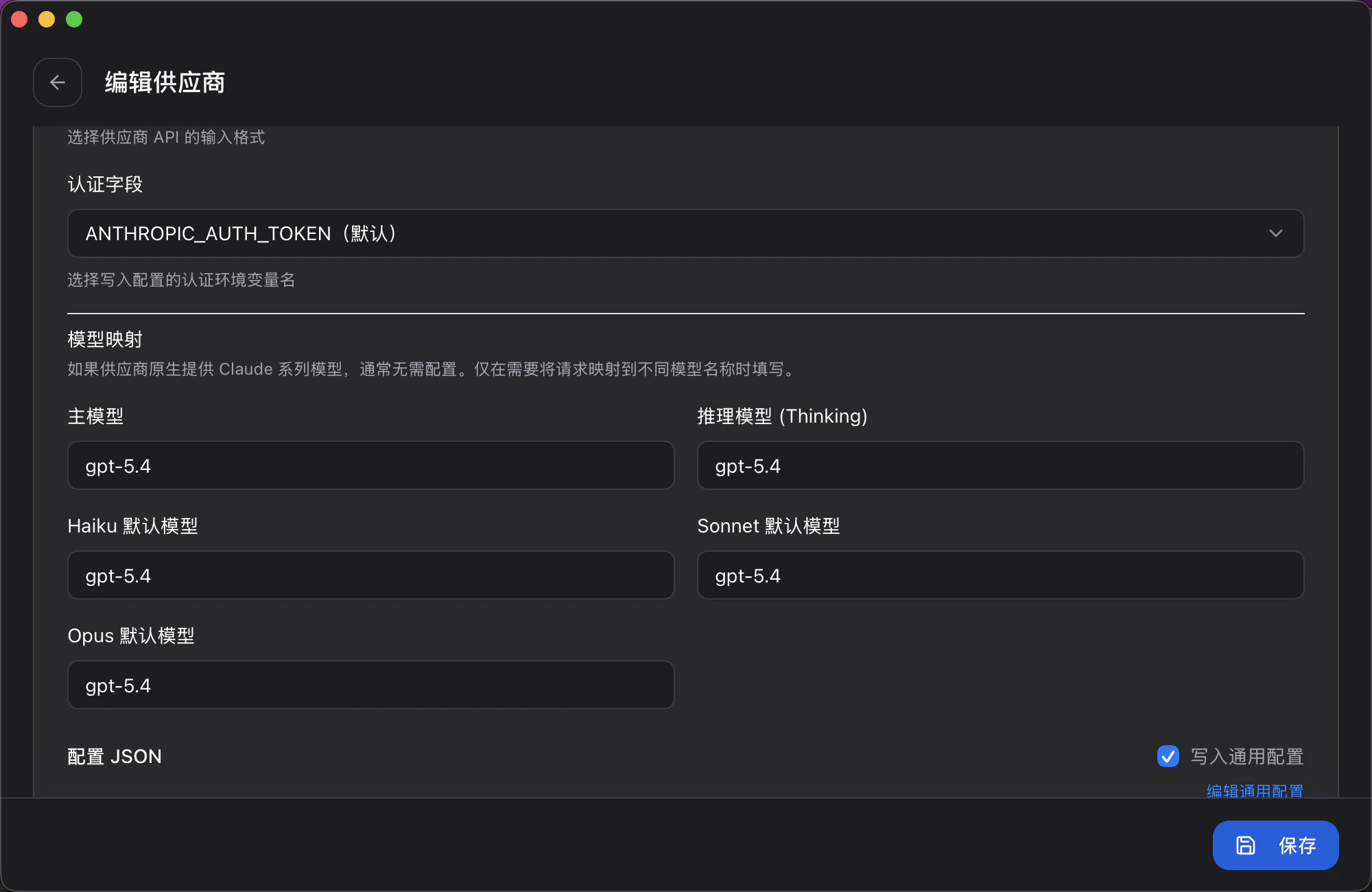 | 字段 | 说明 |
| --------------- | ---------------------- |
| 主模型 | Claude Code 默认使用的模型 |
| 推理模型 (Thinking) | 用于深度推理的模型 |
| Haiku 默认模型 | `/model haiku` 时使用的模型 |
| Sonnet 默认模型 | `/model sonnet` 时使用的模型 |
| Opus 默认模型 | `/model opus` 时使用的模型 |
勾选 **写入通用配置** 可以将配置应用到所有工具。
## 切换 Provider
在主界面中,选中你要使用的配置即可切换。支持**自动故障转移** — 当一个 Provider 不可用时自动切换到下一个。
## 从 ruoli 控制台导入
在 [ruoli.dev](https://ruoli.dev) 的令牌页面,点击 **复制连接信息**,直接粘贴到 CC Switch 中即可完成配置。
## 支持的工具
| 工具 | 支持 |
| ----------- | -- |
| Claude Code | 支持 |
| Codex | 支持 |
Cherry Studio 不通过 CC Switch 配置,请查看 [Cherry Studio 配置页面](/tools/cherry-studio) 手动配置。其他兼容工具见 [通用接入](/tools/general-access)。
**官方网站**:[ccswitch.lovable.app](https://ccswitch.lovable.app) ·
**GitHub**:[github.com/farion1231/cc-switch](https://github.com/farion1231/cc-switch)
| 字段 | 说明 |
| --------------- | ---------------------- |
| 主模型 | Claude Code 默认使用的模型 |
| 推理模型 (Thinking) | 用于深度推理的模型 |
| Haiku 默认模型 | `/model haiku` 时使用的模型 |
| Sonnet 默认模型 | `/model sonnet` 时使用的模型 |
| Opus 默认模型 | `/model opus` 时使用的模型 |
勾选 **写入通用配置** 可以将配置应用到所有工具。
## 切换 Provider
在主界面中,选中你要使用的配置即可切换。支持**自动故障转移** — 当一个 Provider 不可用时自动切换到下一个。
## 从 ruoli 控制台导入
在 [ruoli.dev](https://ruoli.dev) 的令牌页面,点击 **复制连接信息**,直接粘贴到 CC Switch 中即可完成配置。
## 支持的工具
| 工具 | 支持 |
| ----------- | -- |
| Claude Code | 支持 |
| Codex | 支持 |
Cherry Studio 不通过 CC Switch 配置,请查看 [Cherry Studio 配置页面](/tools/cherry-studio) 手动配置。其他兼容工具见 [通用接入](/tools/general-access)。
**官方网站**:[ccswitch.lovable.app](https://ccswitch.lovable.app) ·
**GitHub**:[github.com/farion1231/cc-switch](https://github.com/farion1231/cc-switch)