

Console
After logging in, the console shows system notifications, usage logs, and quick access to common features: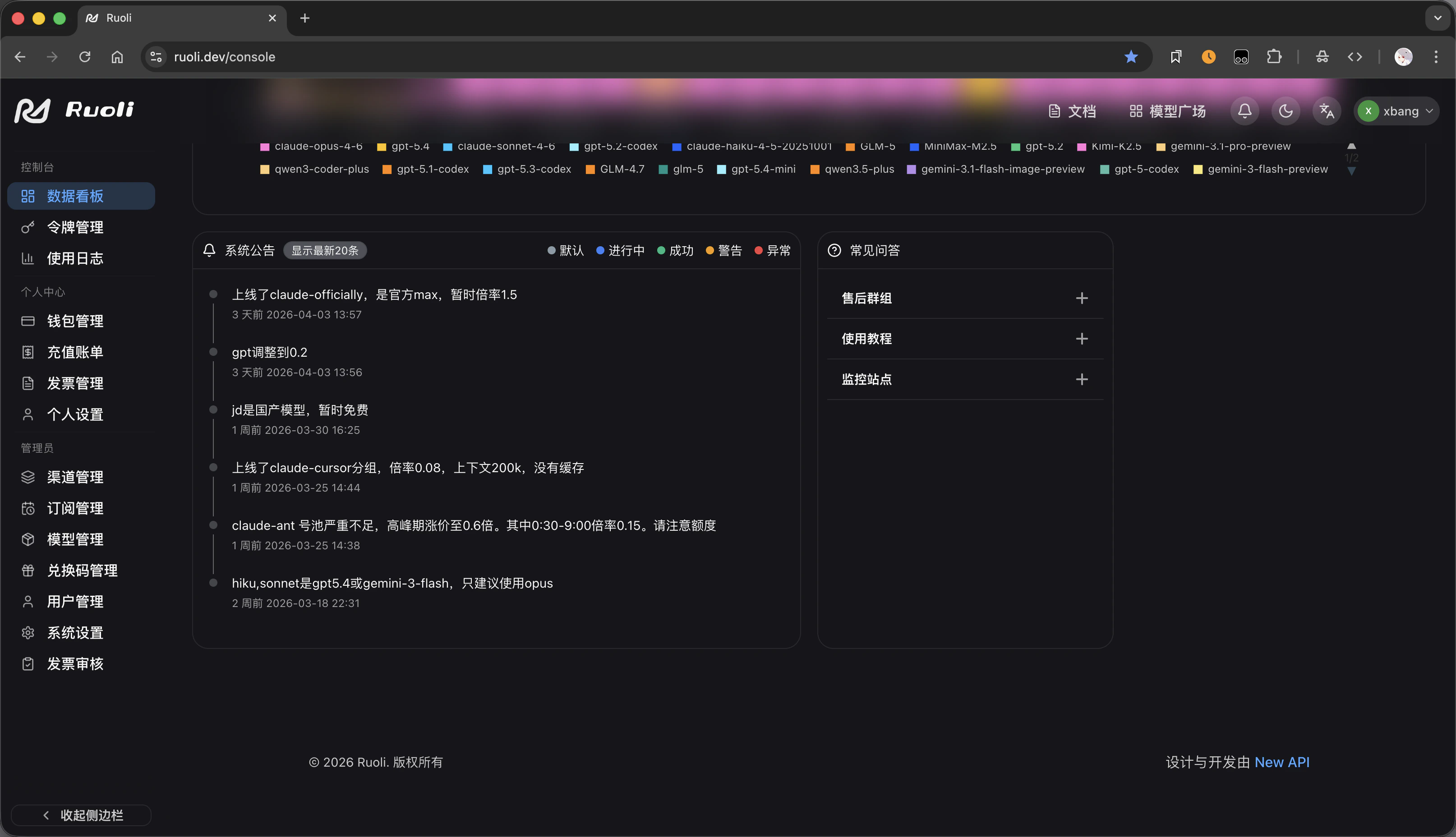
- Support Group — Contact after-sales support
- Tutorial — View this documentation
- Status Monitor — Check real-time channel status
Models & Pricing
On the pricing page, filter models by provider and view input/output prices per model, with available multipliers by group: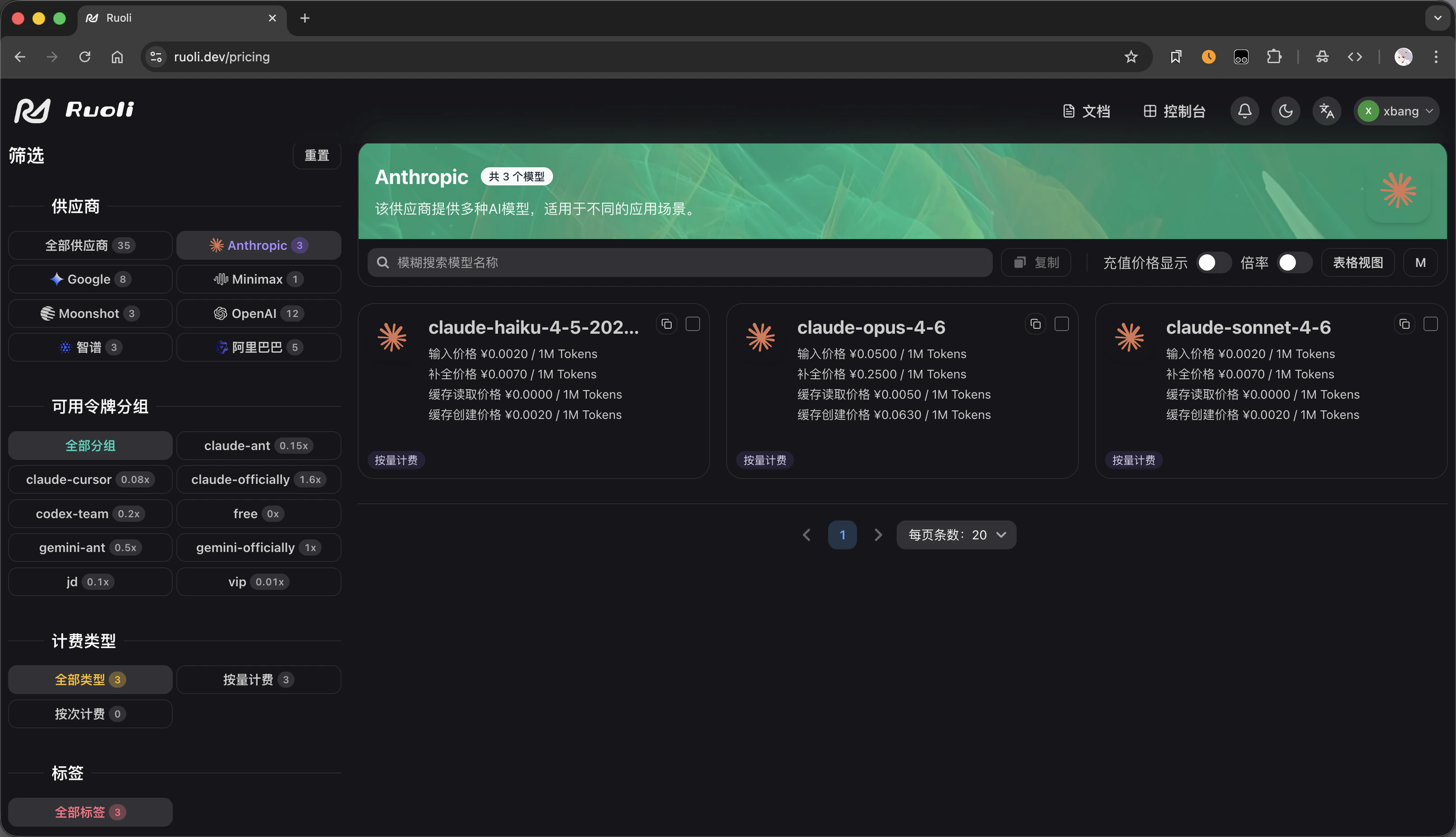
Create Tokens
When creating an API Key on the tokens page, select a group to determine the pricing multiplier: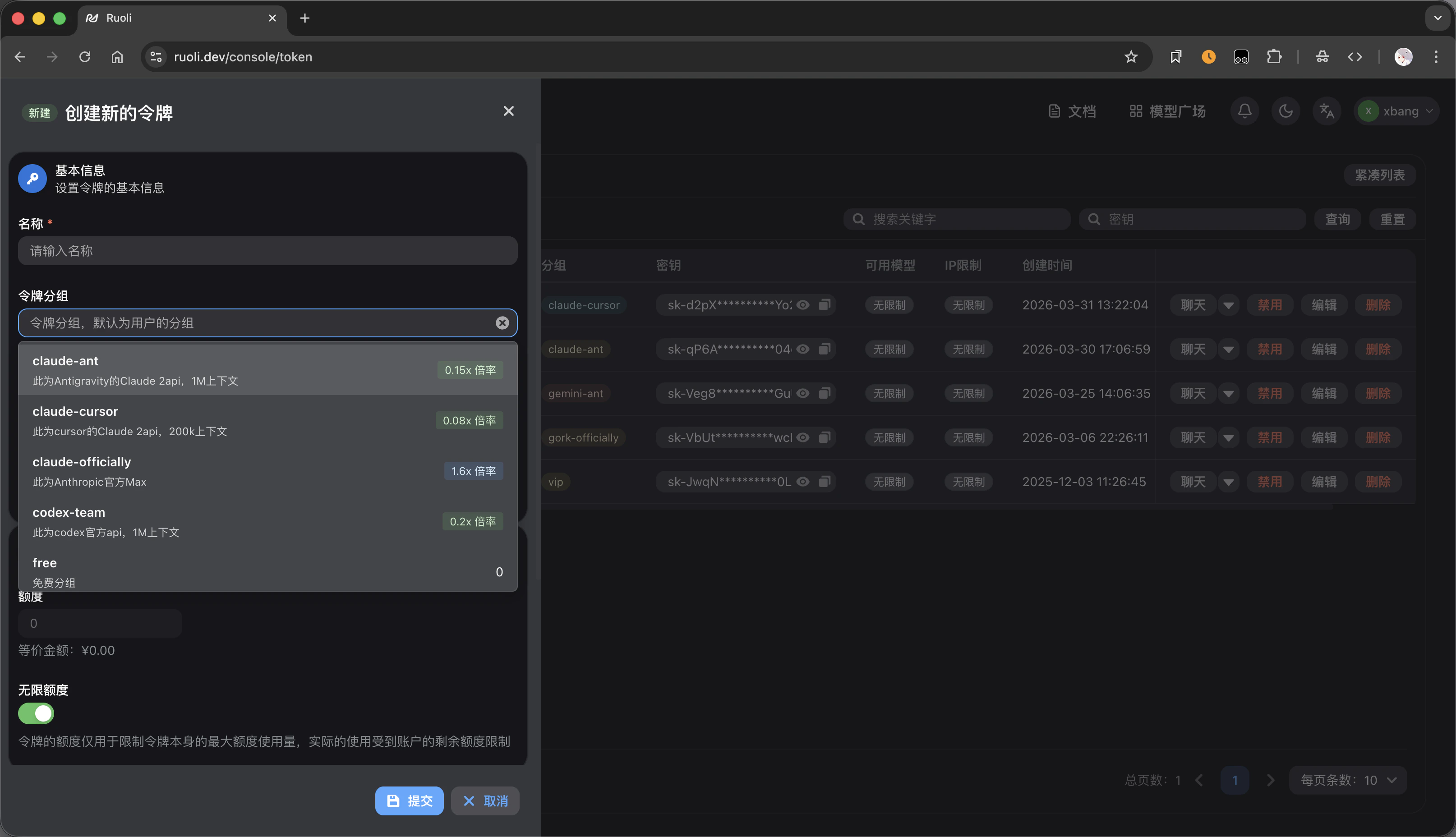
gpt-pro has a 0.3x multiplier while cn has 0.8x. Lower multiplier means cheaper.
See Models & Groups for details.
Service Monitoring
Check real-time channel availability and status via the status monitoring page: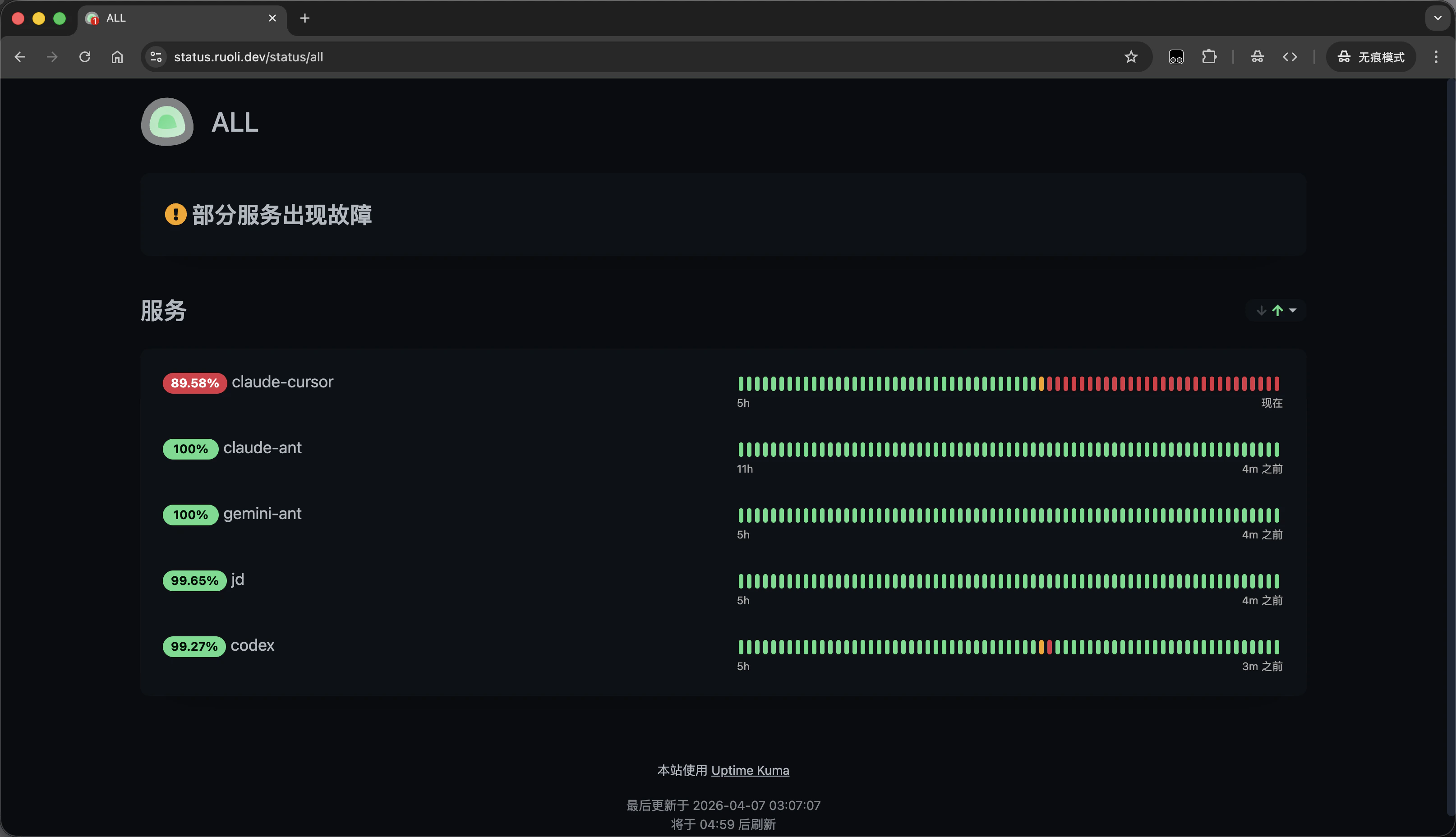
API Info
Whether the URL includes
/v1 depends on the tool’s protocol format — see General Access.Next Steps
Quick Start
Sign up and get your API Key
Models & Groups
Choose a group and understand pricing
CC Switch One-Click Setup
Configure all AI tools with one click
Billing & Top-Up
Billing model and how to add funds