
跳转到主要内容

Documentation Index

Fetch the complete documentation index at: https://docs.ruoli.dev/llms.txt

Use this file to discover all available pages before exploring further.

OpenCode 是一个开源的 AI 编码代理,支持 75+ 模型提供商。

安装

curl -fsSL https://opencode.ai/install | bash
或通过 npm / Homebrew:
npm install -g opencode-ai@latest
# 或
brew install anomalyco/tap/opencode

使用 CC Switch 配置(推荐)

打开 CC Switch,选择顶部 OpenCode 标签,点击 + 添加配置:
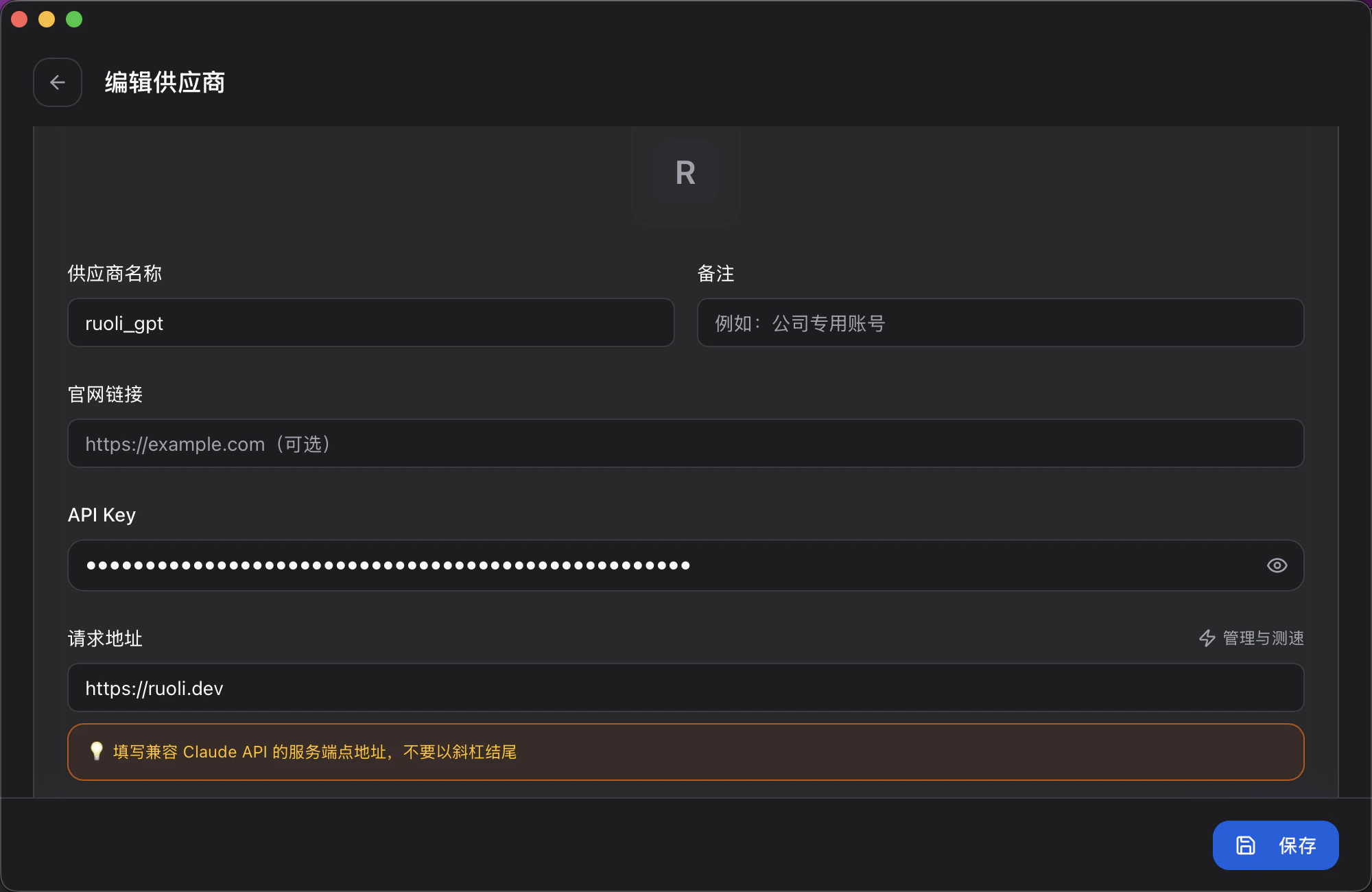
CC Switch 配置
字段填写内容
供应商名称自定义,如 ruoli_opencode
API Key你的 Key
请求地址https://ruoli.dev/v1
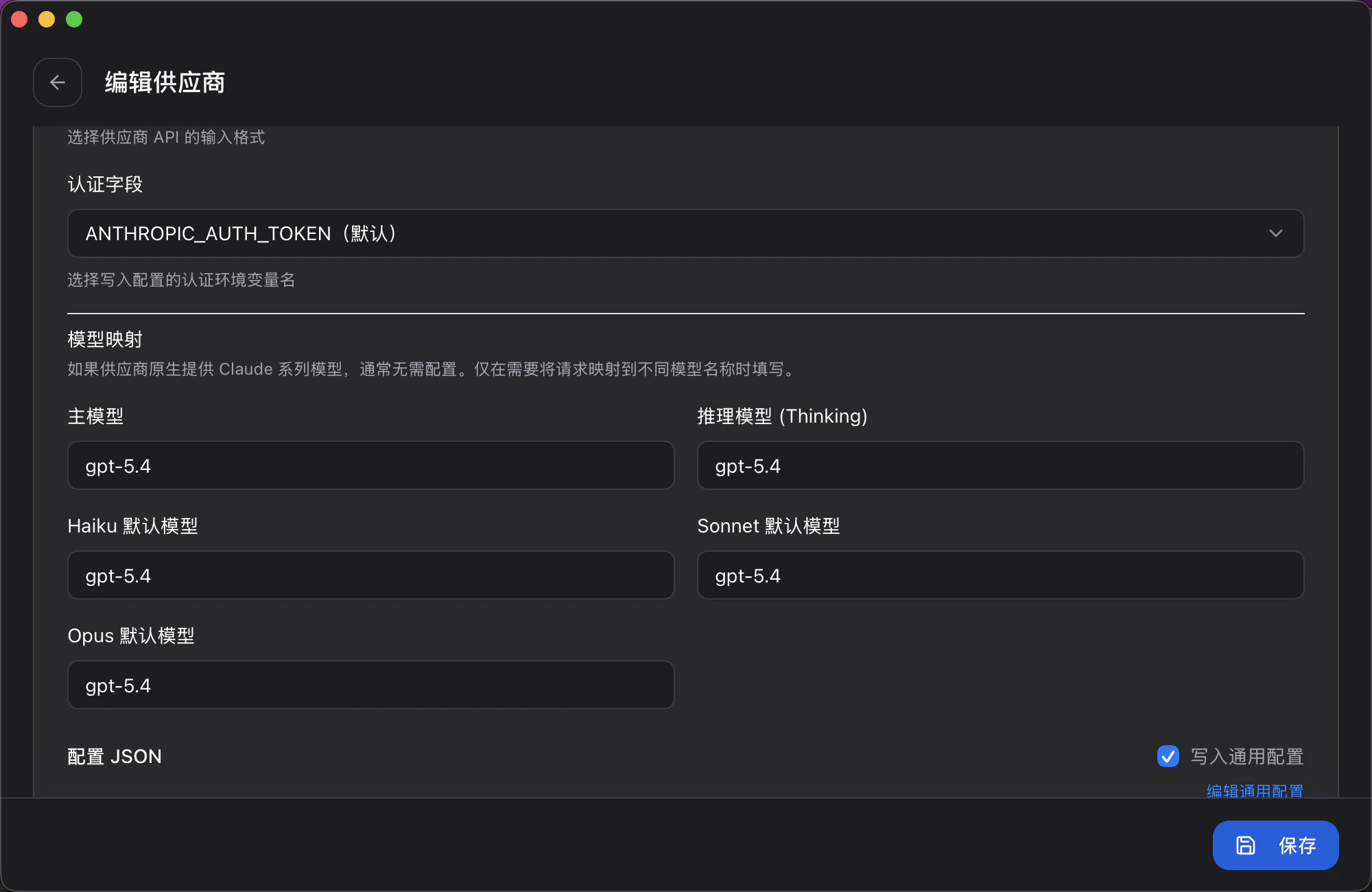
还可以配置模型映射,选择不同的模型:
CC Switch 模型映射

手动配置

创建 opencode.json
{
  "$schema": "https://opencode.ai/config.json",
  "model": "claude-sonnet-4-20250514",
  "provider": {
    "ruoli": {
      "npm": "@ai-sdk/openai-compatible",
      "name": "RuoLi",
      "options": {
        "baseURL": "https://ruoli.dev/v1",
        "apiKey": "{env:RUOLI_API_KEY}"
      },
      "models": {
        "claude-sonnet-4-20250514": {
          "name": "Claude Sonnet 4",
          "limit": { "context": 200000 }
        },
        "gpt-4o": {
          "name": "GPT-4o",
          "limit": { "context": 128000 }
        }
      }
    }
  }
}
设置环境变量:
export RUOLI_API_KEY=sk-你的KEY

切换模型

修改 opencode.json 中的 model 字段切换模型。在配置文件的 models 中添加你需要的模型即可使用。也可以在 CC Switch 中切换。
官方文档opencode.ai