

Installation
Configure with CC Switch (Recommended)
Open CC Switch and add a ruoli configuration:
Select Claude Code and click Apply.
Switch Models
Beyond native Claude models, ruoli routes to third-party models likegpt-5.5, GLM, Kimi, and DeepSeek. Open CC Switch → Edit Provider → Model Mapping, point each Claude alias at the target model, and save — no JSON editing required.
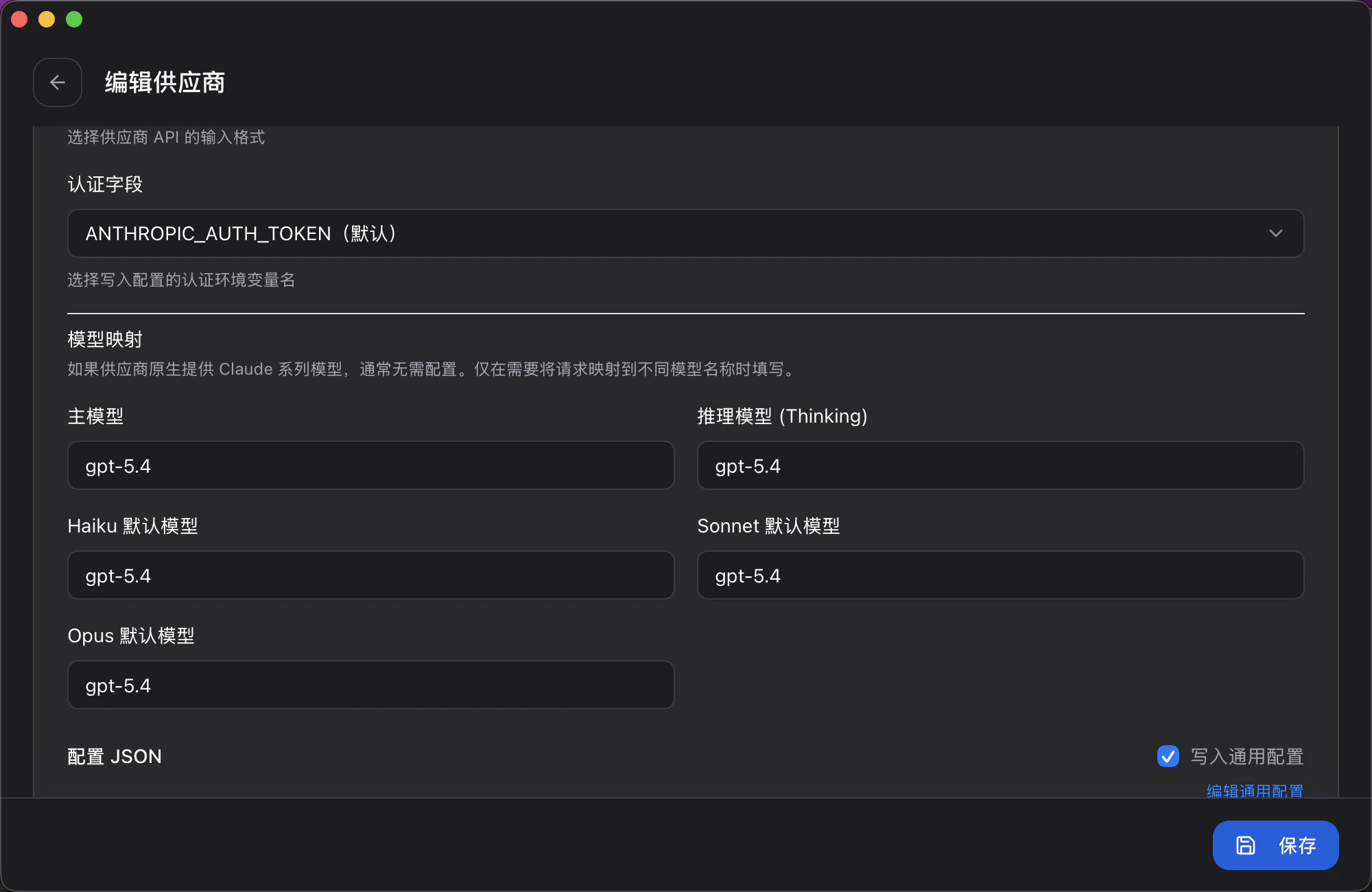
Leave these blank if your provider is natively Claude — only fill them in when you want to route aliases to a different model.
Disable Attribution Header (Required)
In CC Switch → Edit Provider → Config JSON, add one line toenv:
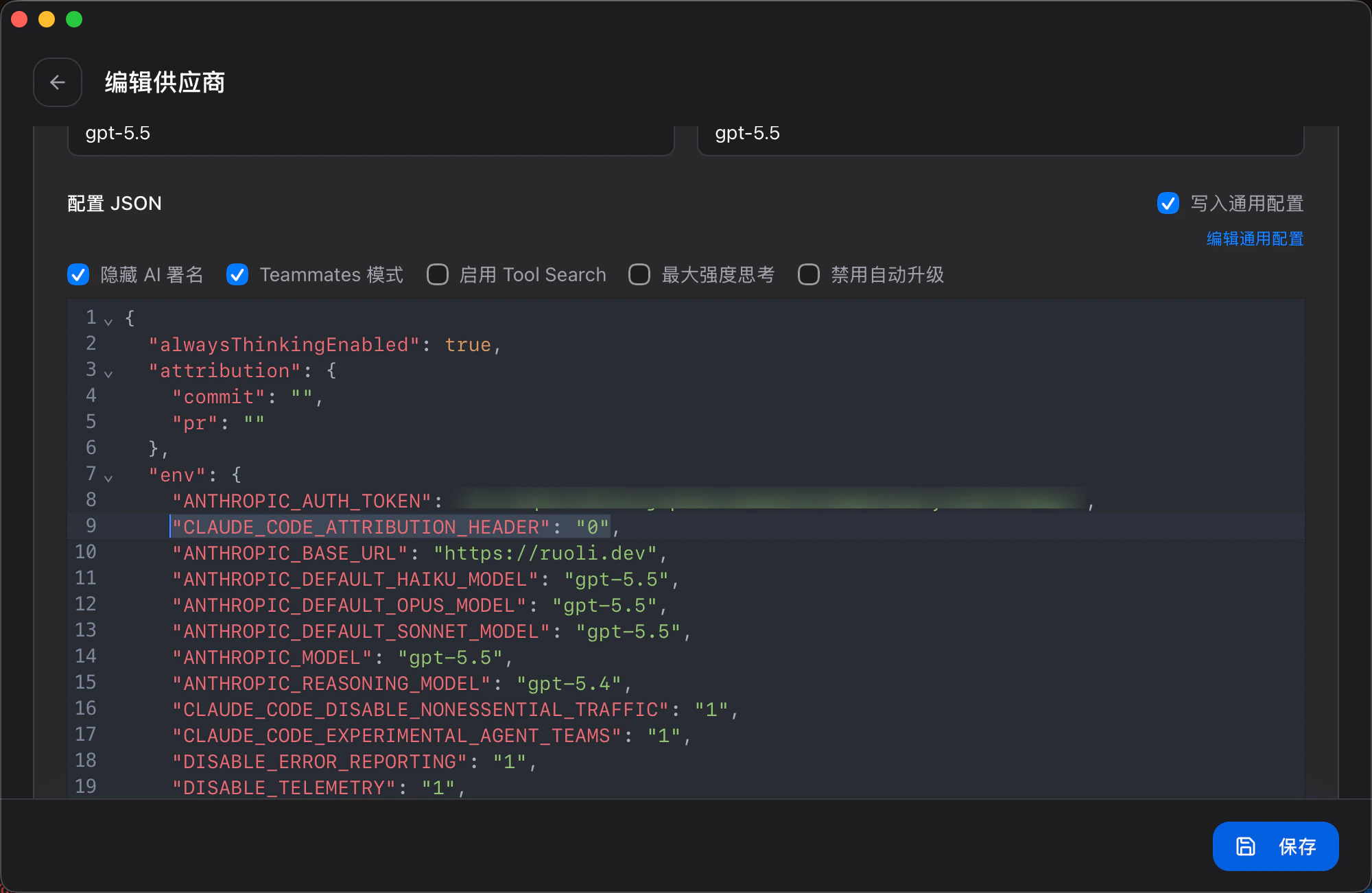
~/.claude/settings.json — see the example below.
Manual Configuration
Edit~/.claude/settings.json:
Configure Context Compression
Claude Code auto-compresses context at about 83% of the context window by default. If you’re using a 1M context window, you can adjust when compression triggers viaCLAUDE_AUTOCOMPACT_PCT_OVERRIDE.
For example, to trigger compression at 180k tokens (180k / 1000k = 18%):
Add to the env block in ~/.claude/settings.json:
Official Documentation: code.claude.com/docs