

CC Switch provides a graphical interface for one-click configuration and switching of Claude Code, Codex, Gemini CLI, OpenCode, and OpenClaw API connections.Documentation Index
Fetch the complete documentation index at: https://docs.ruoli.dev/llms.txt
Use this file to discover all available pages before exploring further.
Open CC Switch
Visit ccswitch.lovable.app to get started. The top tab bar lets you switch between different tools:
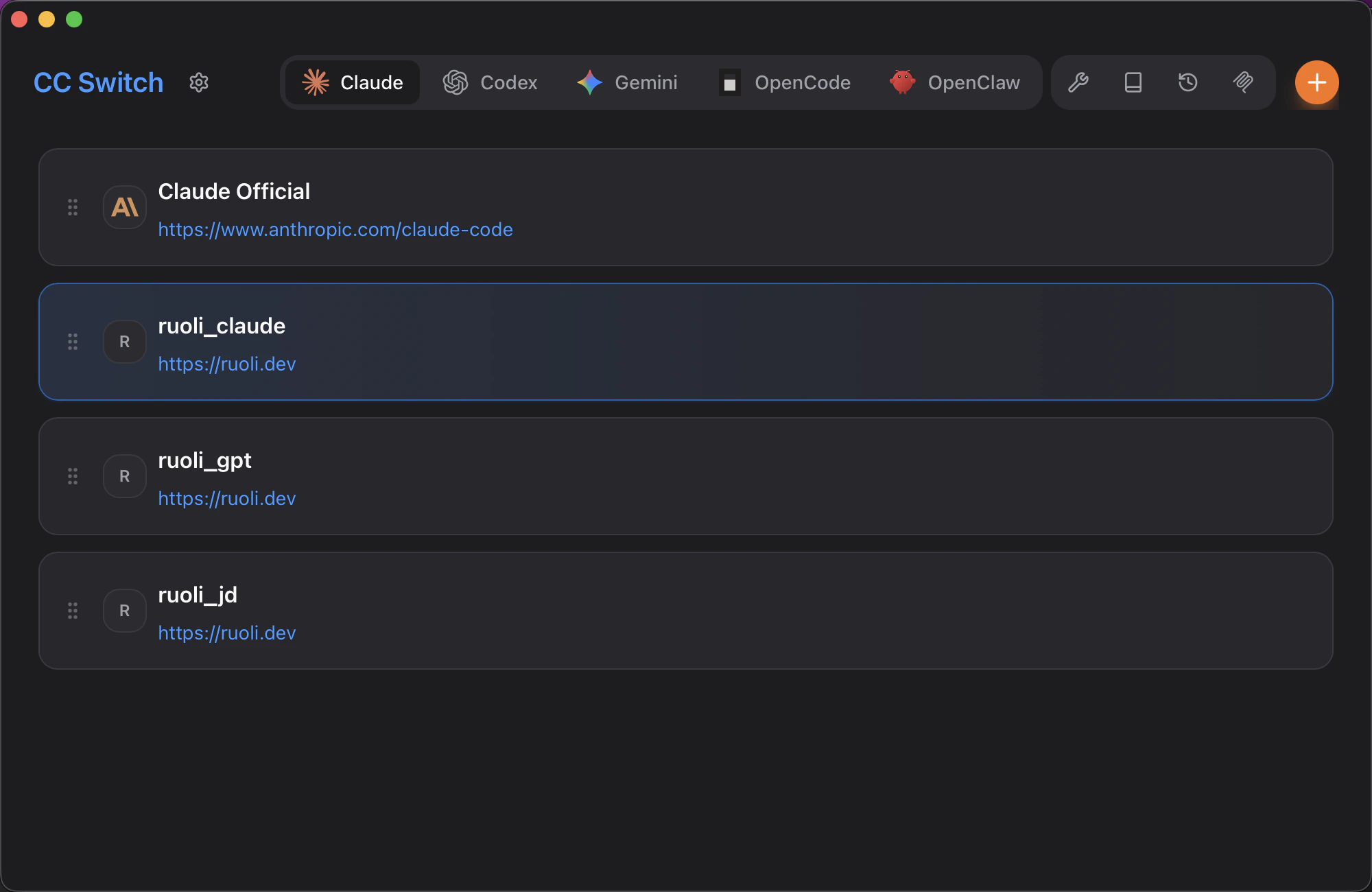
Add RuoLi
- Click the + button in the top right to add a new configuration
- Fill in the provider details:
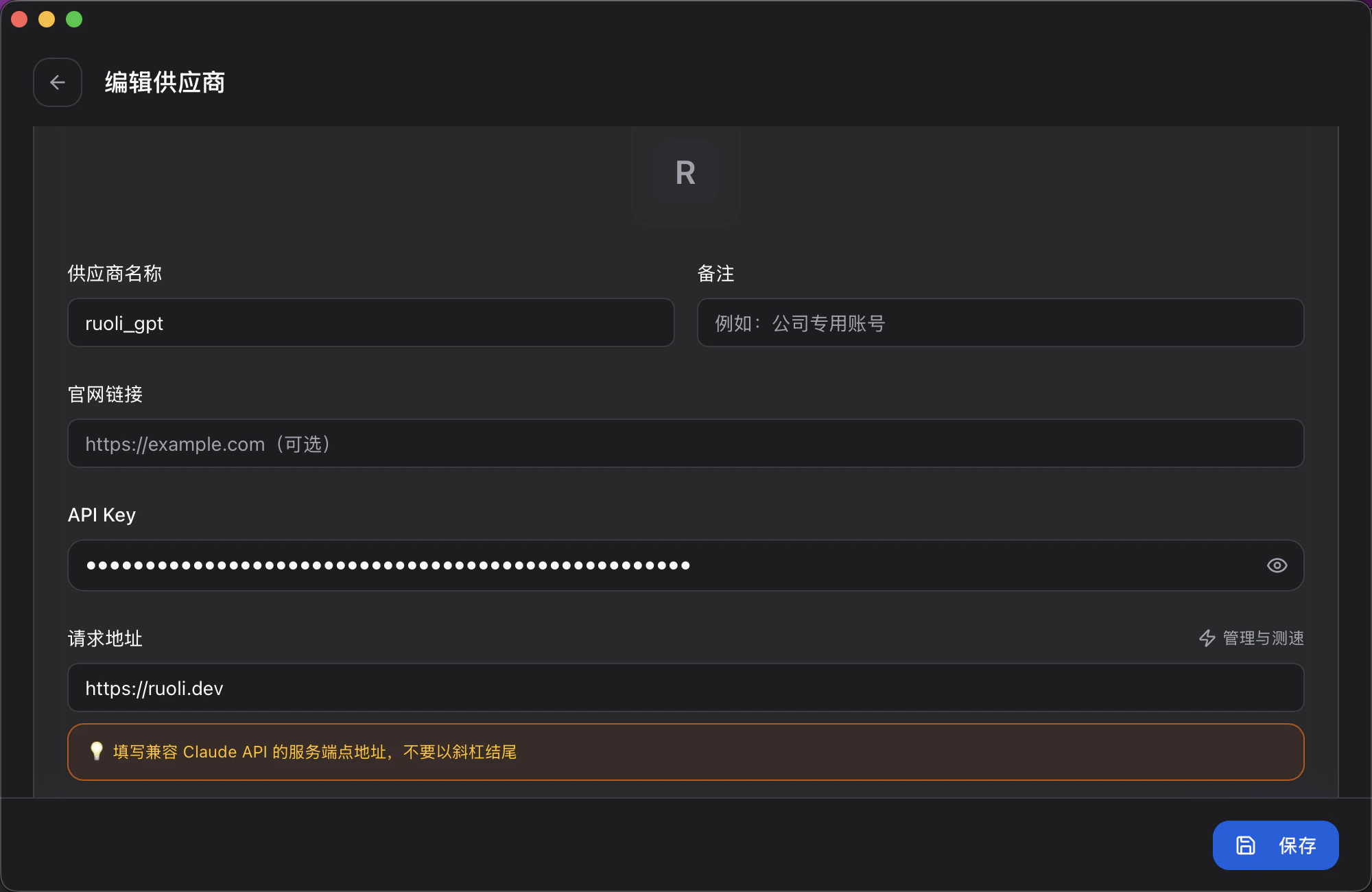
| Field | Value |
|---|---|
| Provider Name | Custom, e.g. ruoli_claude |
| API Key | Your Key (get it from the Tokens page at ruoli.dev) |
| Request URL | https://ruoli.dev |
- Click Save
Configure Model Mapping
Scroll down to configure model mapping, which maps Claude Code’s model aliases to the models you want to use:
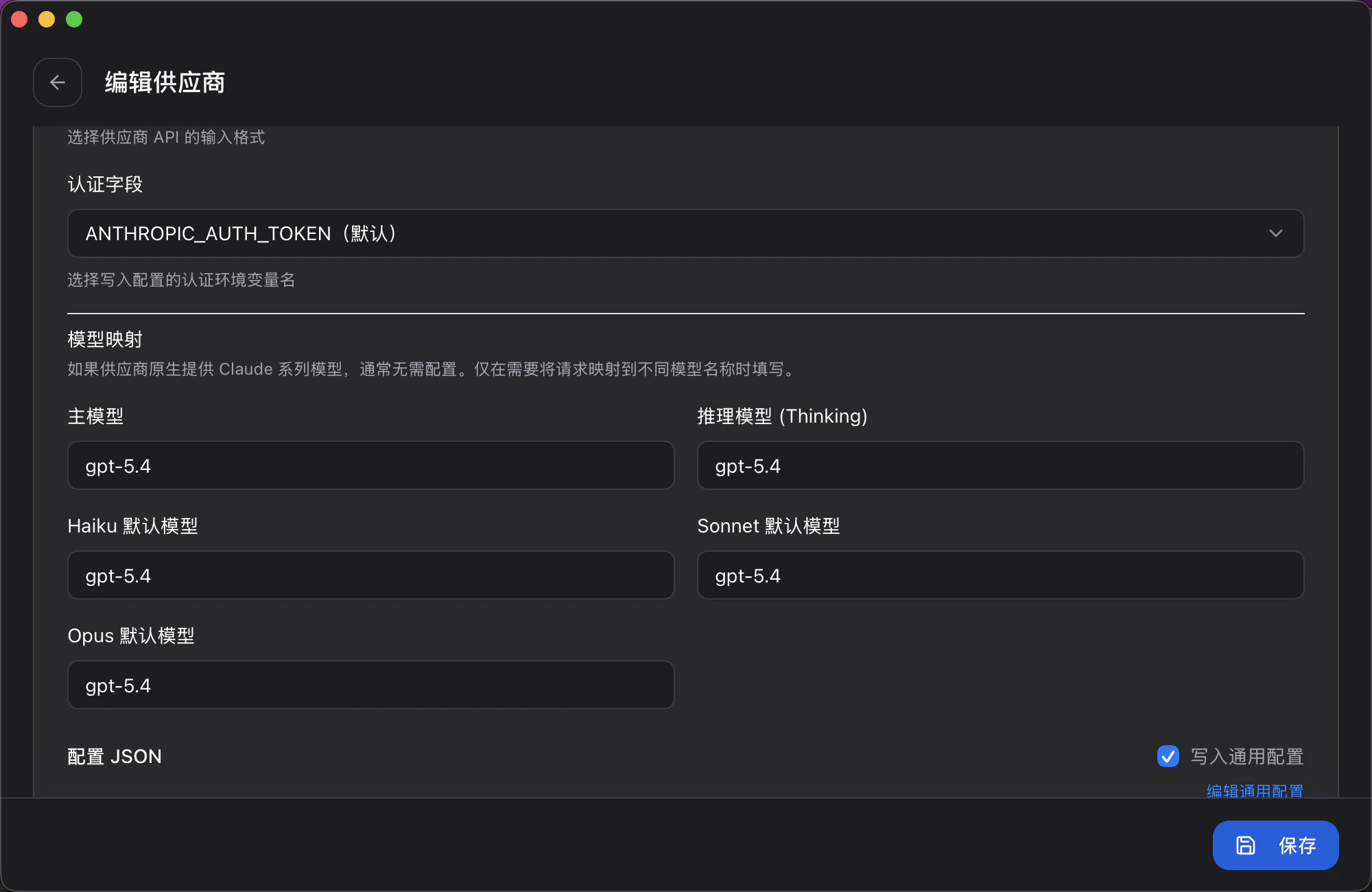
| Field | Description |
|---|---|
| Primary Model | Default model used by Claude Code |
| Reasoning Model (Thinking) | Model used for deep reasoning |
| Haiku Default Model | Model used when running /model haiku |
| Sonnet Default Model | Model used when running /model sonnet |
| Opus Default Model | Model used when running /model opus |
Switch Providers
In the main interface, select the configuration you want to use to switch. Supports automatic failover — when one provider is unavailable, it automatically switches to the next one.Import from RuoLi Dashboard
On the Tokens page at ruoli.dev, click Copy Connection Info and paste it directly into CC Switch to complete the setup.Supported Tools
| Tool | Support |
|---|---|
| Claude Code | Supported |
| Codex | Supported |
| Gemini CLI | Supported |
| OpenCode | Supported |
| OpenClaw | Supported |
Official Website: ccswitch.lovable.app ·
GitHub: github.com/farion1231/cc-switch

